 Qualified LiteNews Reader
Saved articles, newsletters, RSS feeds.No subscription.
Qualified Lite lets you pick articles to read later from all your sources in one tap, then save and sort them.
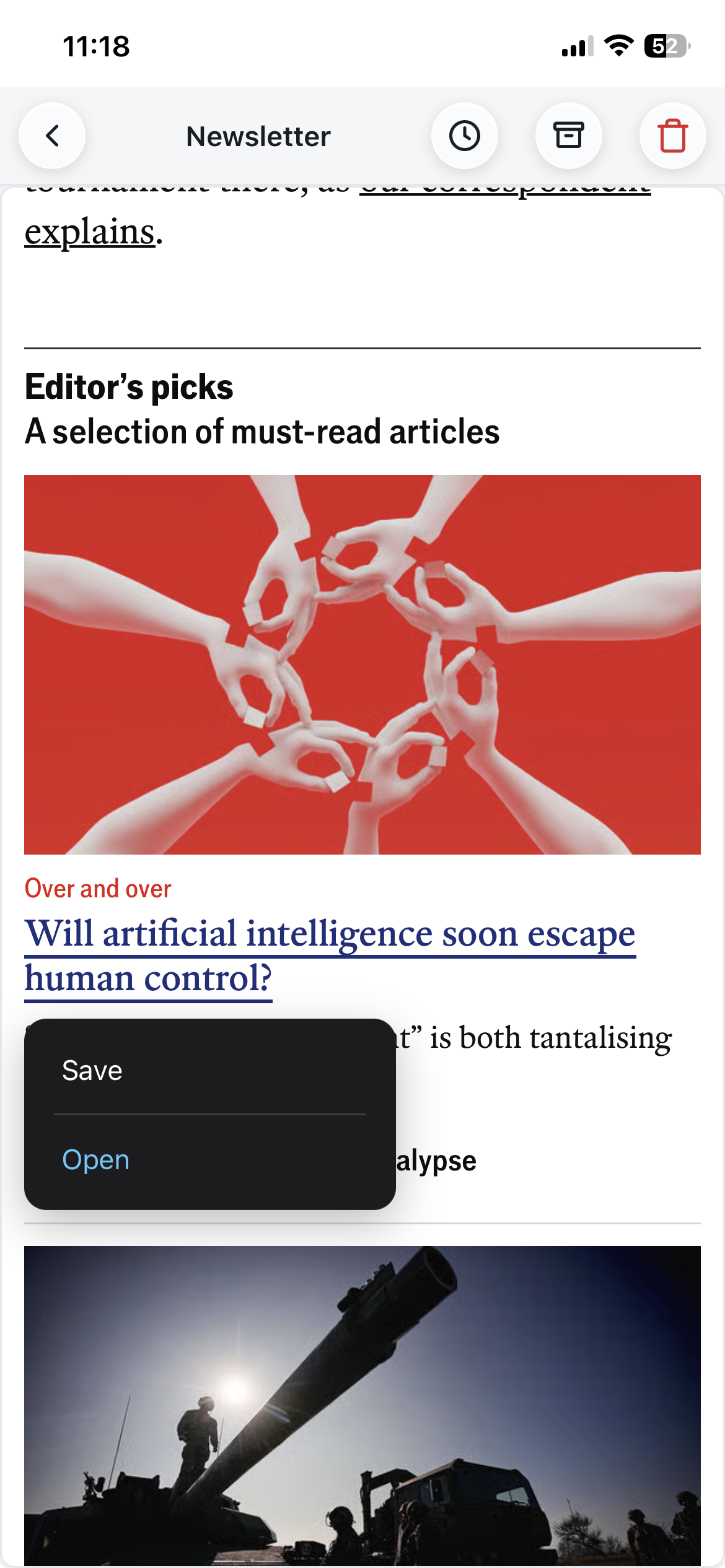
Your newsletters, in peace
A dedicated, free address to receive your newsletters in a clean interface. Sort your newsletters and save article links in one tap.
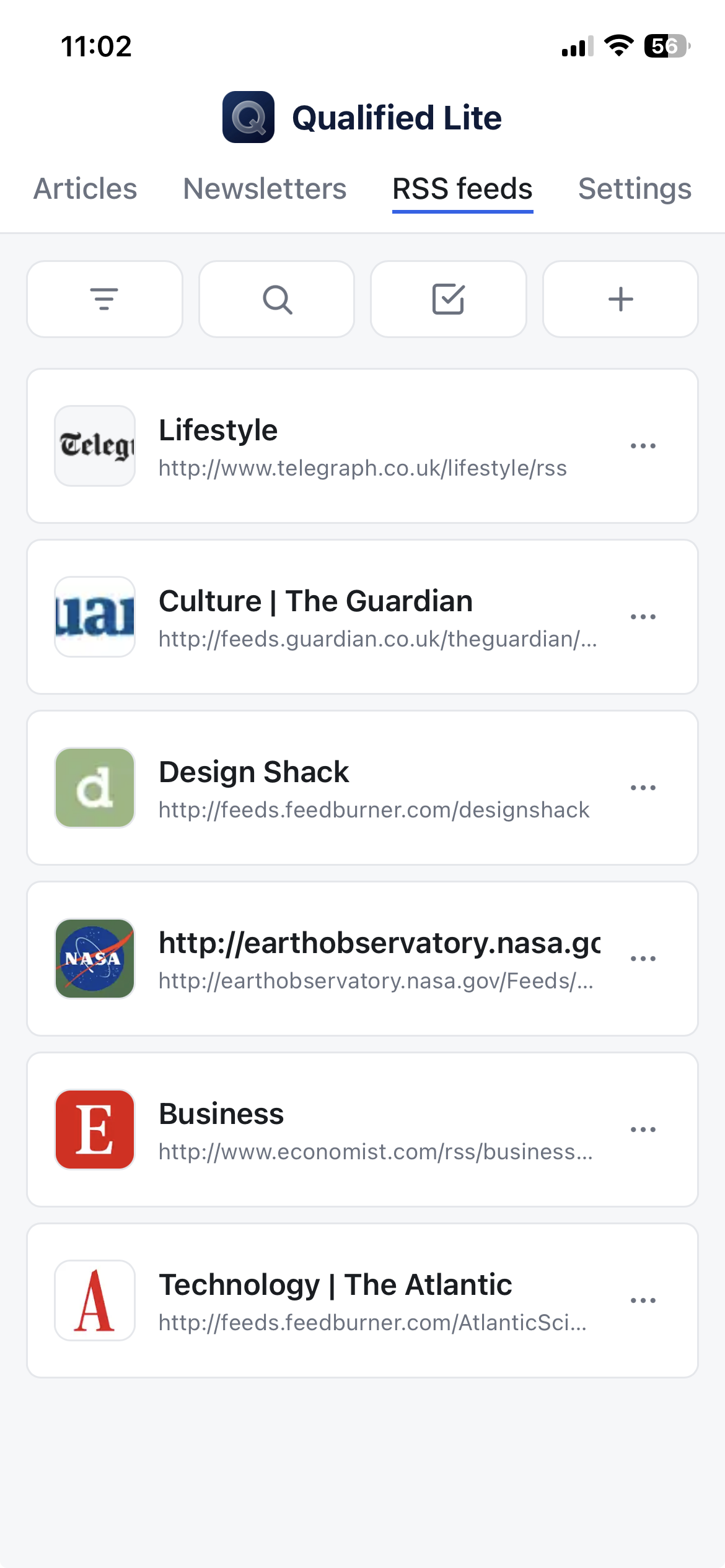
Your RSS feeds, together
Follow your favorite sources. And save the articles you want to read later in one tap.
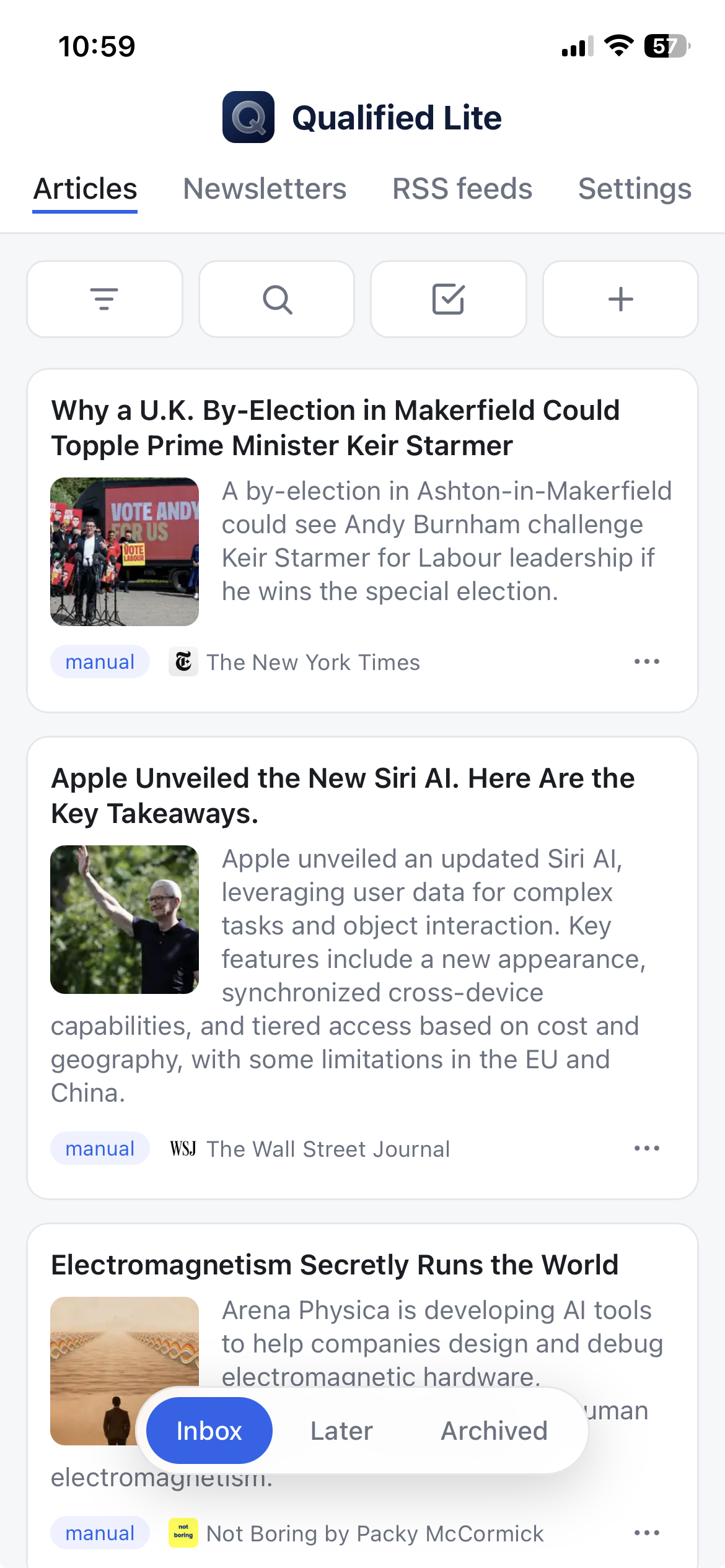
The essentials at a glance
Title, thumbnail and a few-line summary generated for each article. Keep what matters.
FAQ
Why Qualified Lite News Reader?
It's a web app you can use in your browser or on your smartphone, letting you receive your newsletters and RSS feeds and pin articles directly; you can also save articles from the web extension.
The goal is to let you intelligently pick the articles you want to read and build your own reading list, so you no longer depend on recommendation algorithms. It also lets you bring all your sources together so you don't have to open several sites or news apps.
Note that article content is not extracted (except image, title, summary), so your links open directly on the original sites. Using it as an app (see below) and as a desktop extension greatly improves reading comfort, enabling Safari/Chrome built-in reader modes and opening everything in the same tab or app window.
This web app was designed to be light enough in infrastructure to rely entirely on voluntary contributions without requiring a subscription.
Is Qualified Lite free?
Qualified Lite was designed to be free and accessible to everyone, with limits that are enough for most users. You can support us with a €20 contribution to ensure the service's longevity and benefit from higher limits.
Usage limits
You can open up to 5 newsletters per day and subscribe to 10 RSS feeds.
You can keep a total of 500 articles and the last 50 newsletters received.
Become a supporter
If you enjoy this service and want to ensure its longevity and development, you can make a €20 contribution — you will benefit for life from:
- unlimited newsletter opens, up to 50 RSS feeds and up to 50 saved articles per day
- extended storage: up to 5000 articles and the last 500 newsletters received
How do I receive a newsletter on Qualified Lite?
A newsletter address is provided when you sign up; you can find it in the “Settings” tab. You can use it in several ways. Some methods require you to “verify” your newsletter address: you'll then need to grab the verification email received in the “Newsletter” tab and open the verification link in your browser.
Direct signup
You can sign up directly to newsletters using the address provided to you.
Forward from your mailbox (e.g. with Gmail)
For Gmail, the procedure is as follows: open one of the emails received from the sender whose messages you want to forward, click the options menu , choose “Filter messages like these”, then “Create filter”, check “Forward to” and “Add forwarding address”. Once you've entered it, you'll receive an email in the “Newsletter” tab of Qualified Lite: open the validation link in a browser to activate it, then go back to Gmail and finish the process by returning to the filters menu and selecting your now-validated address. You can also check “Delete it” in the filter so the newsletters no longer appear in your main mailbox.
How to download the mobile app?
On a smartphone, we recommend installing the web app as an app — the experience is far better.
If you're signed in or subscribed on news sites, you'll need to re-enter your credentials; they are stored in the app and never leave your device (cookies cannot be shared outside the app).
iPhone or iPad app
To use Qualified Lite as an iOS app, go to this site using a web browser on your device, tap the “Share” icon, then scroll down to find the “Add to Home Screen” option. You can change the name and icon, then tap Add.
Android app
Using the Chrome browser for Android, go to this site, tap the options menu and choose “Add to Home screen”.
How do I use the web browser extension on my computer?
The extension lets you save articles and keep your article list on the side while reading, and saves you from juggling multiple tabs. It will soon be available for Chrome.
Are the articles I save kept?
Only the URLs and a few basic details (thumbnail, title, summary) are kept. This means that if a site stops maintaining the page, the article will no longer be accessible.
If your intent is to keep a copy of the articles, we recommend using another service. But let's be honest — how often have you actually wanted to re-read an article more than a few weeks old? For occasionally saving an article's content, various free solutions exist, such as Obsidian Web Clipper.
How is data security and privacy handled?
While this app isn't meant to hold sensitive data, security and privacy are taken seriously.
Identifying data
To provide the service, we have to store your email address in our database — it's the only piece of data that identifies you. As a general rule, we recommend using an email alias to sign up for services, forwarding to your personal address.
How data is secured
• Your personal code: never stored in clear text, hashed (bcrypt), unreadable even by us.
• Encrypted connections: all traffic uses HTTPS/TLS (HTTP/2 and HTTP/3), over the Cloudflare network.
• Hidden server: it is not exposed directly to the Internet (Cloudflare tunnel).
• DDoS and bot protection.
• 100% Stripe payments: no card data ever passes through or is stored on our servers.
Privacy
Qualified Lite shows no advertising and does no advertising or behavioral tracking. Your data is never sold or shared, except with the technical subprocessors strictly required to run the service (Stripe for payment, Cloudflare and our email delivery provider for the infrastructure).
Right to erasure
You can permanently delete your account and all your data in one click.
Contact us
If you have any issues, feedback, suggestions, etc., you can reach us at: [email protected]